
Tally has disrupted the form builder market. Tally.so is an online form creation tool. It’s growing rapidly.
It has a clean UI. And it’s super easy to create forms using the tool.
In this guide, I’m going to cover:
- What is Tally.so?
- Tally features
- Tally pricing
- How to create forms with Tally
Let’s dive in…
What Is Tally Forms?
Tally is a form builder tool. Filip Minev and Marie Martens founded Tally.
They wanted Tally to feel different, easier, better, fun to use, and flexible. And they succeeded at it.
The best part?
It’s super simple to create a tool using Tally. Anyone who can browse the internet can build a form.
The software allows you to create unlimited forms for free.
Yes, you heard it right. UNLIMITED.
Tally Features
Unlimited Free Forms
There are many form builders
You can create and store literally unlimited forms for free. There’s no catch.
Simple To Use
The form builder is pretty simple to use. Anyone can create forms using Tally.
Tracking
You can track traffic sources, visit duration, and conversions using Google Analytics.
Advanced Customization
Tally allows you to customize form layout, inputs, and buttons in your form.
Accept Payments
You can accept payments using Stripe.
Unlimited Submissions
Tally not only offers unlimited forms for free, but it also provides unlimited submissions.
Email Notifications
You’ll get notified for every new form submission.
Templates
There are over 100 templates to choose from. Or you can create your own and customize according to your needs.
Popups For Free
Popups can help you convert strangers to warm leads. With Tally, you can do it in a few seconds. And you can integrate it with your multiple tools as well.
Integration
You can connect Tally with multiple tools like Google Sheets, Airtable, Make, n8n, Slack, Notion, Pipedream, and Coda.
Tally Forms Pricing
Tally is mostly free for us. But they have a few premium features. You’ll have to upgrade if you want to connect a custom domain, use a custom email, strip out their branding, or get unlimited file uploads.
They have affordable prices.
Tally Forms Tutorial: How To Create a Form Using Tally
Now, let’s see how you can create a form in Tally using the Tally form builder.
First of all, you need to sign up for a Tally account. It’s FREE.
Enter your email and click on Continue.
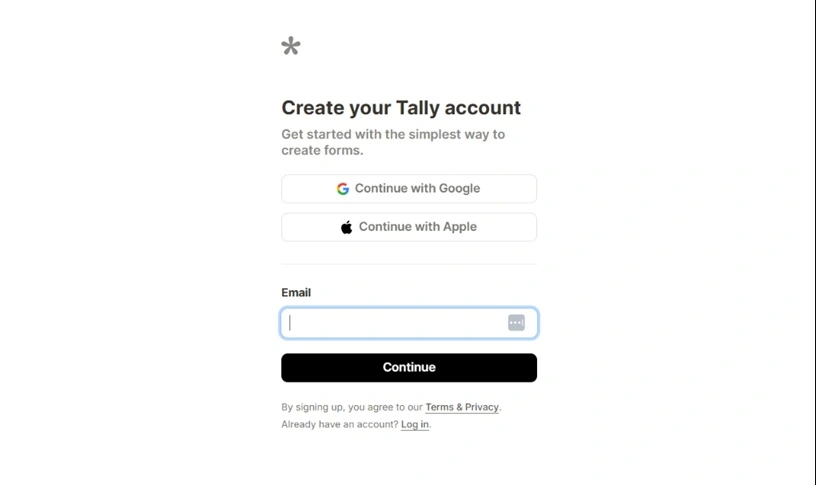
Now enter the verification code you received in your email inbox. Click on Continue again.
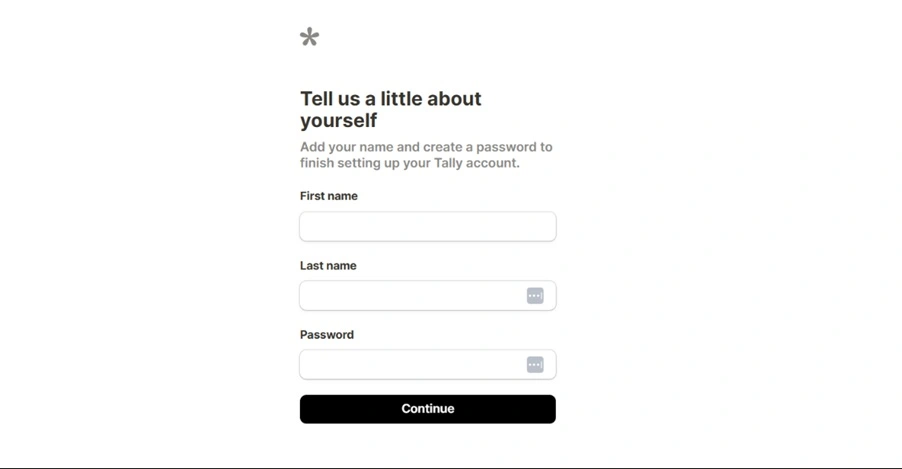
Enter your first name and last name. And set a password.
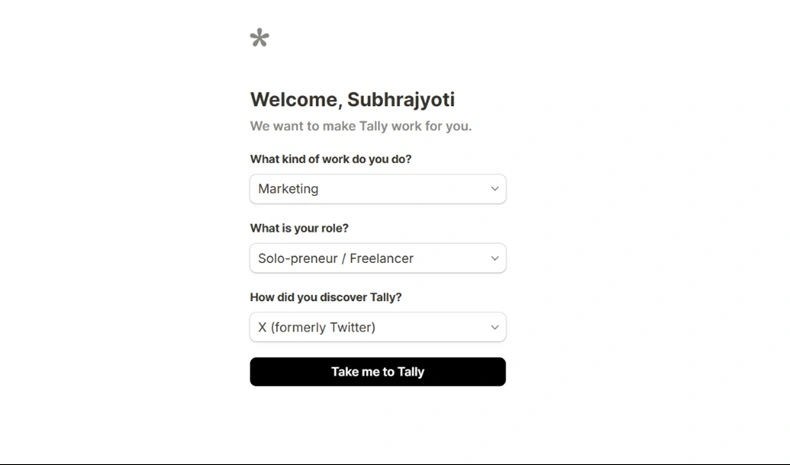
Next, enter some relevant details. Click on Take me to Tally.
You can use templates or create a new one. I will create a new contact form. I clicked on New Form.
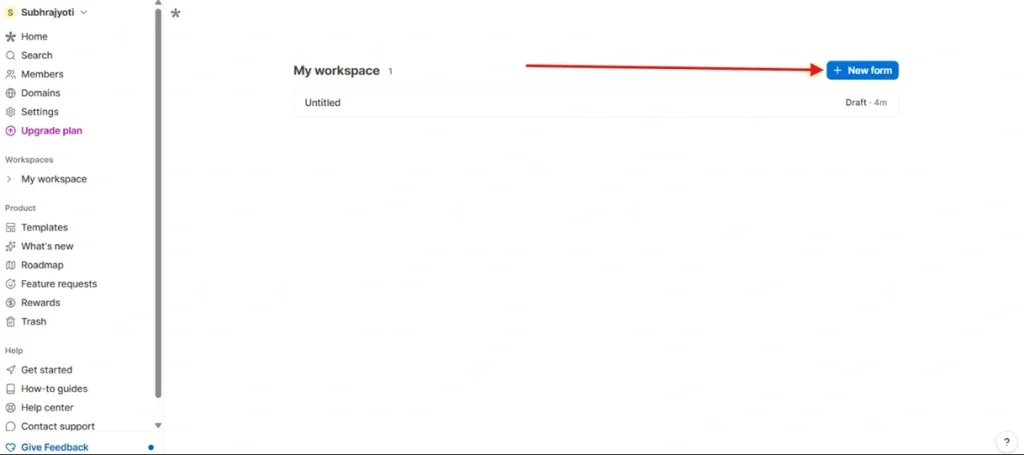
Enter a name for your form. I entered Contact Form
Now, click on the + sign to add new fields.
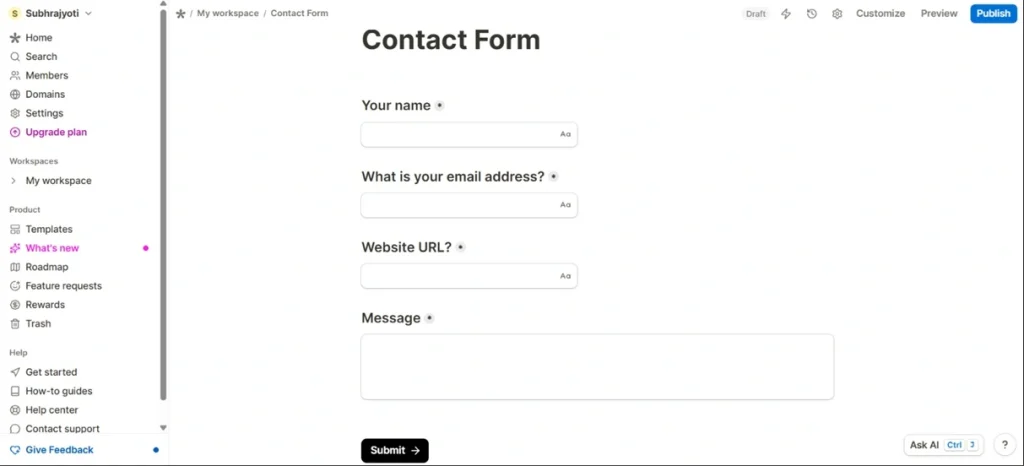
I’ve created a contact form.
Pro Plan
The plan costs $29 monthly. It will cost $24 if you’re going for the annual plan.
- Remove Branding
- Custom Domains
- Custom CSS
- Custom Email Domains
- Unlimited File Uploads
- Form Visits Analytics
Business Plan
The business plan costs $89 per month. $74 if you choose an annual plan.
- Everything in the Pro plan
- Control Data Retention
- Verify Emails
- Version History
Tally Forms Founders
Filip Minev and Marie Martens are two founders of Tally. They built this form builder tool out of sheer frustration with the existing online form builders on the market.
It’s bootstrapped. This means they didn’t take any investment.
Yes, Tally is legit software. You can use it without any issues.
Google Forms is the free alternative to Tally. It offers most of the features for free. But for some premium features, you need to pay.
Yes, it’s free to use. You can create unlimited forms using it. You need to pay for some premium features.
Yes, it is a legitimate form builder. You can use it without any worries or errors.
The Pro plan costs $24 per month.
Conclusion
I hope you found this Tally guide helpful. Now you can create contact forms using Tally.
I’ve used multiple form builder tools like Google Forms, Typeform, and Jotform. But Tally stands out among all these. Because of its simplicity and clean look.
Let me know if you have any questions.