I started blogging at the age of 16.
I had no blogging experience. And it took me a few months to see some results. I struggled a lot.
One of the reasons for my struggle was not knowing the best blogging tools.
Today, I’m going to share some of the best blogging tools for beginners. So you don’t have to go and try all the tools.
I use these tools to run my blog.
Let’s check them out.
Best Blogging Tools For Beginners
There are more blogging tools than we need.
Because AI makes it super easy to build tools.
But not all tools are worth your time and money. There were useless tools before the AI storm.
AI is making it worse. That’s a different story for another blog post.
For now, let’s focus on the best tools for blogging. My point here is: if you go and try all blogging tools, it can waste your time and money.
Solution?
I’ve already tried many blogging tools over the years. Below, I’ve listed the best tools for blogging for beginners.
Want to start a blog that makes money? Check out this guide to start a blog.
1. Yoast SEO
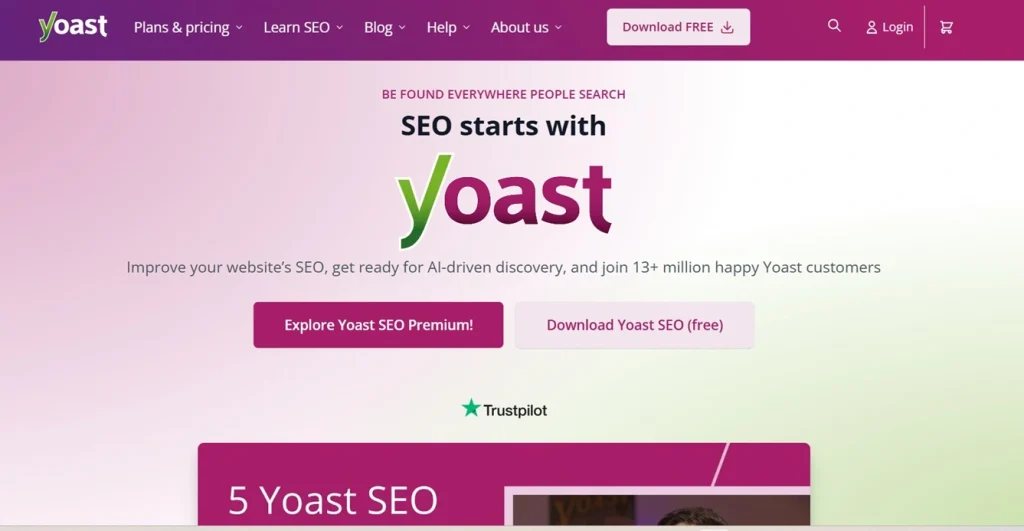
Yoast is an SEO plugin. There are dozens of SEO plugins. I’ve tried a few of them. And get back to Yoast SEO again.
Yoast is one of the best tools for blogging.
Because Yoast makes it super easy to optimize for on-page SEO, and it’s packed with some awesome features such as:
- Creating XML sitemap
- Implementing schema markup
- Redirects URLs
- Canonical URLs
- Readability analysis
- SERP previews
- Integration with dozens of tools
Want to rank higher on both Google and AI search?
Check out this WordPress SEO guide.
2. Google Search Console
If someone asked me to do SEO for a website using just one tool, I’d choose Google Search Console.
If you haven’t set it up, open a new tab and search for Google Search Console and set it up right now.
You can set it up in less than 5 minutes.
Search Console tools let you track how a website is performing on Google.
It will show you how many clicks and impressions your content is getting.
And it also shows you keywords that are getting impressions.
If your site has any technical issues, it will show you that.
3. Google Keyword Planner
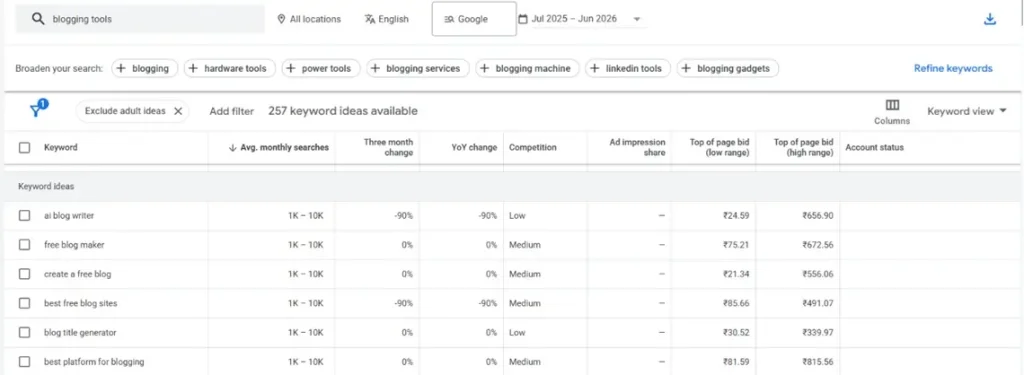
Google Keyword Planner (GKP) is a keyword research tool that helps find keywords for Google Ads campaigns.
Google developed this tool to help people come up with keyword ideas for Google Ads.
Bloggers and SEOs use this tool to find keyword ideas.
You need a Google Ads account to use Keyword Planner. Head over to Google Ads and create an account if you haven’t already.
Now click on “Tools” and then Keyword Planner.
Click on Discover New Keywords.
Now enter your topic and click on “Get results”.
And it will show relevant keywords with their estimated search volume.
4. Google Analytics
Google Analytics helps you to track the metrics for your blog.
It shows you:
- How many people are visiting your website?
- Traffic sources
- How much time they’re spending on your site?
- How many people are signing up for your newsletter?
It will help you to understand what kind of content is performing well on search engines.
Based on that data, you can double down on what works.
You can set it up using a WordPress plugin, or you can use Google Tag Manager.
5. Google Docs
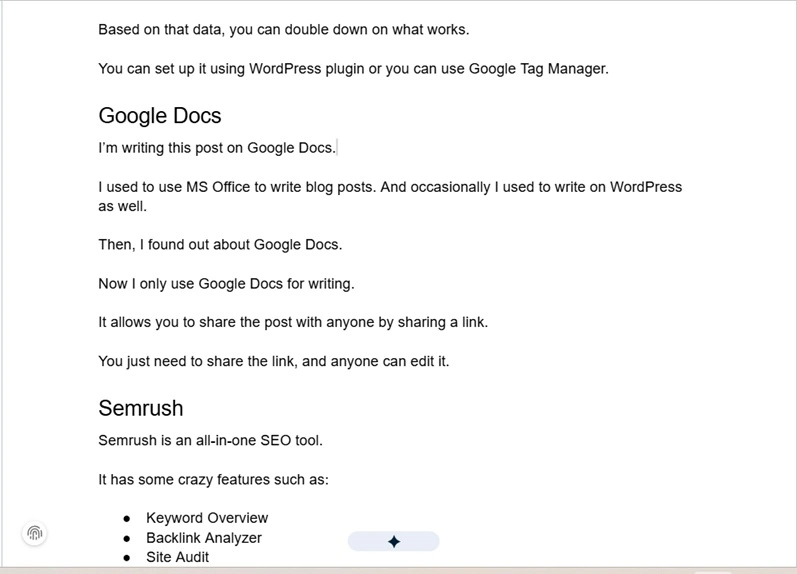
I’m writing this post on Google Docs.
I used to use MS Office to write blog posts. And occasionally I used to write on WordPress as well.
Then, I found out about Google Docs.
Now I only use Google Docs for writing.
It allows you to share the post with anyone by sharing a link.
You just need to share the link, and anyone can edit it.
6. Semrush
Semrush is an all-in-one SEO tool.
It has some crazy features such as:
- Keyword Overview
- Backlink Analyzer
- Site Audit
- Keyword Magic
- Paid Traffic Analysis
I love using the Keyword Magic Tool.
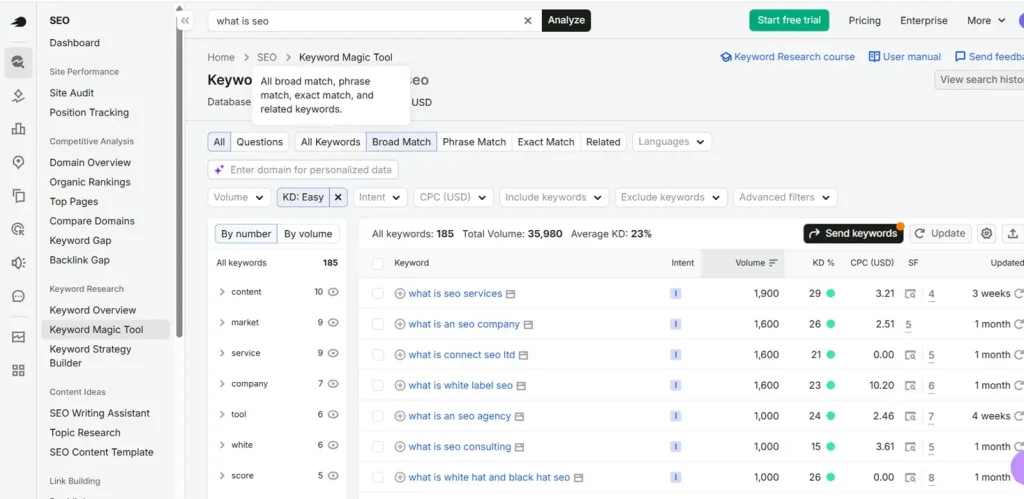
It’s a super helpful tool for bloggers and marketers.
7. Similarweb
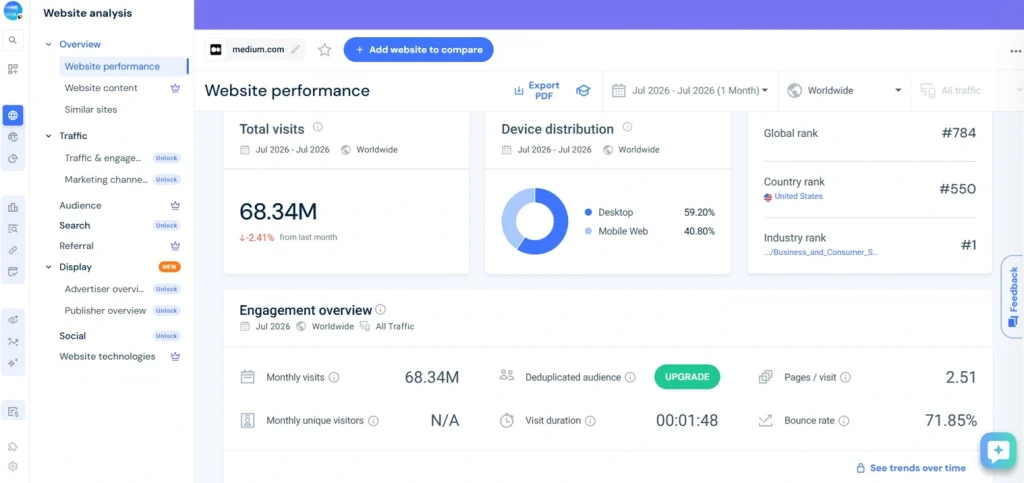
Similarweb can help you view the traffic and traffic sources of any website.
You can install the Similarweb Chrome Extension, or you can visit their website.
Put any website, and it will show you:
- Visits
- Gender and Age Distribution
- Top countries they are getting traffic from
- Competitors
- Traffic Sources
- Social Media Traffic Breakdown
- Tech Stack
You can see:
8. Canva
Canva is an online graphic design tool. It can help you create custom infographics and blog banners.
I use Canva to create custom graphics.
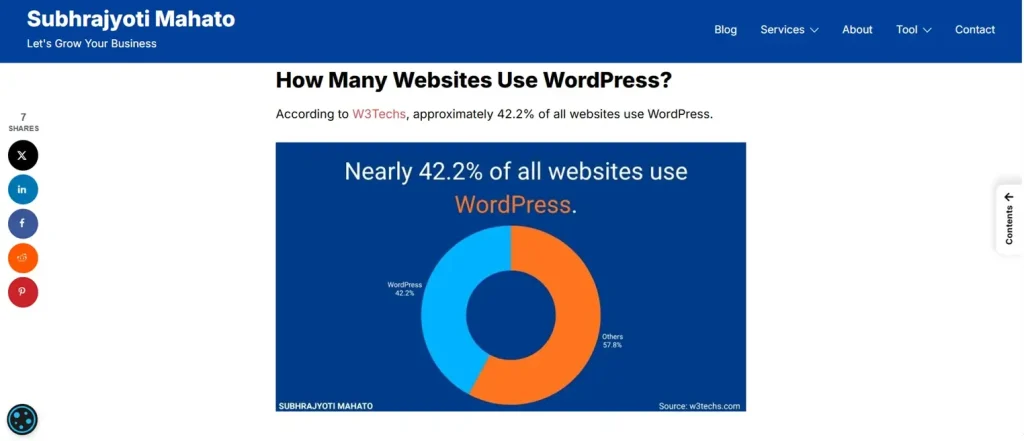
A few months ago, I published a post on WordPress Statistics.
In that post, I created graphics like this.
Canva is an easy-to-use tool. You can learn the basics in a weekend. And there are many tutorials on YouTube.
9. Check My Links
Check My Links is a Chrome extension that lets you find broken links on any web page. It will be super helpful for broken link building.
It’s pretty simple to use this tool.
Head over to Check My Links and install the extension. You need to create an account to use it.
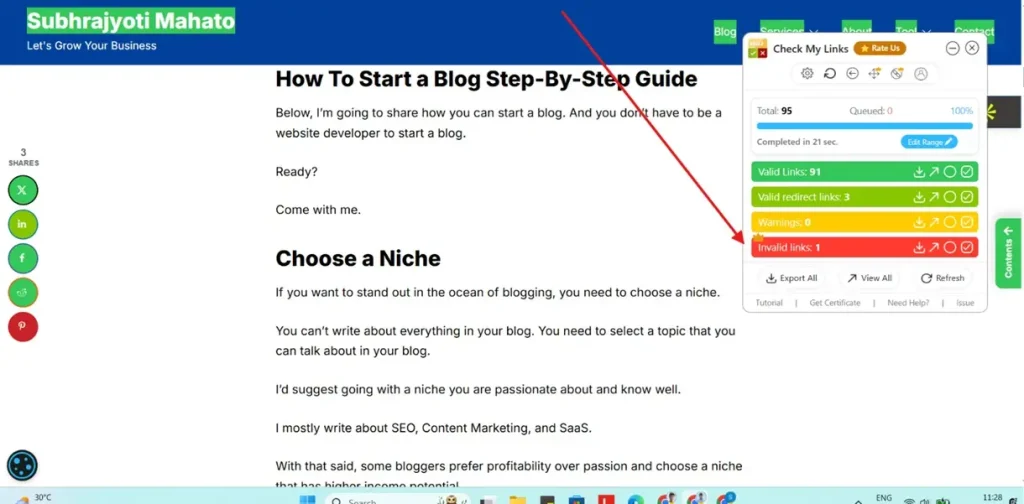
Now just visit any website and click on the extension. It will show you all the links, including broken links.
Like this:
10. Snov
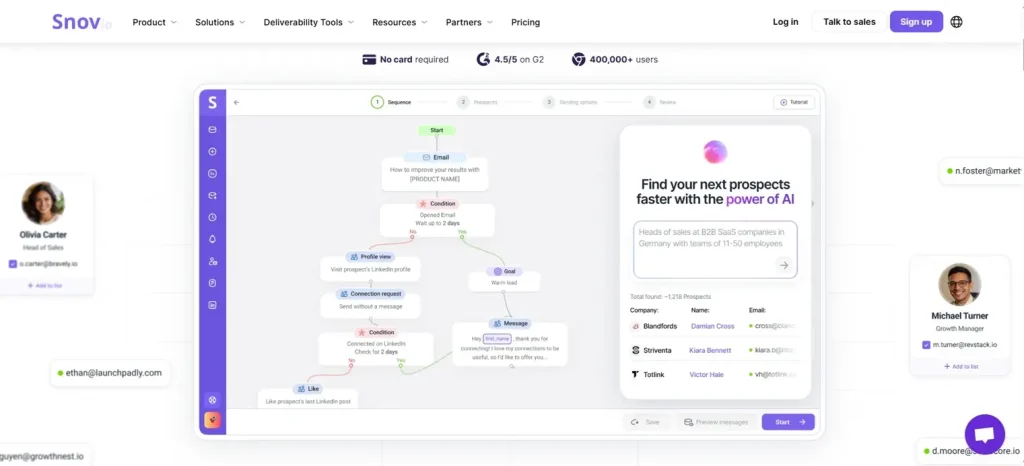
Snov is an all-in-one cold email outreach tool. It lets you find anyone’s email address. It’s one of the best email outreach tools in the market.
I use it almost daily to find the email addresses of my prospects.
Snov can also help you to find leads and send emails.
11. Kit
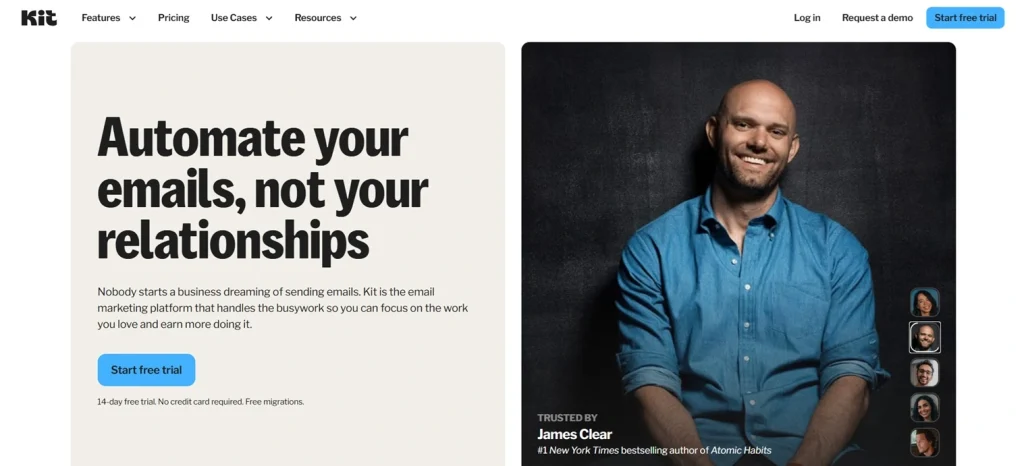
Kit is one of the most popular email marketing software platforms. Kit lets you collect email addresses of your audience.
Most email software platforms are too complicated. But Kit makes it easy to set up and manage email campaigns.
12. Hemingway App
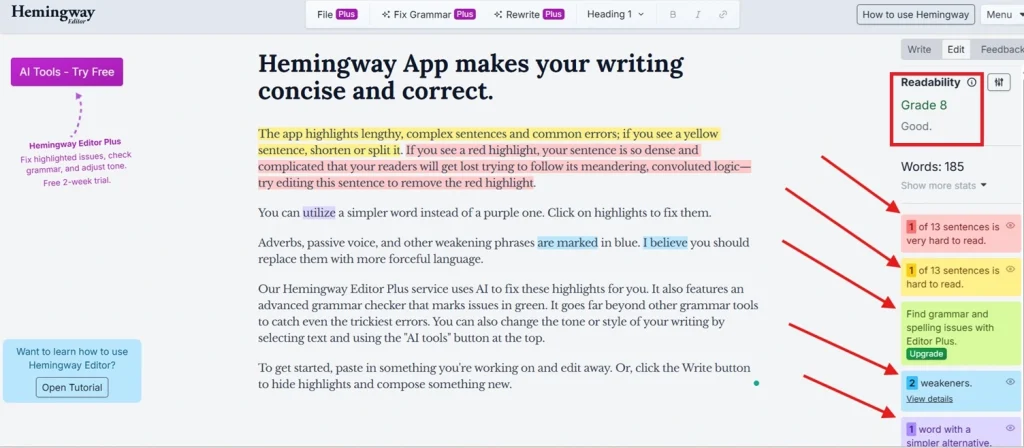
Hemingway App is an editing and proofreading tool. It helps to improve readability.
It will highlight the sentences that are hard to read.
It will also show you which words are making your sentences weaker.
When you enter your blog post, it will show you a grade level. You need to aim for 8.
So more people can understand your content. Remember, you’re not writing blog posts for scientists. You’re writing for normal folks.
13. Grammarly
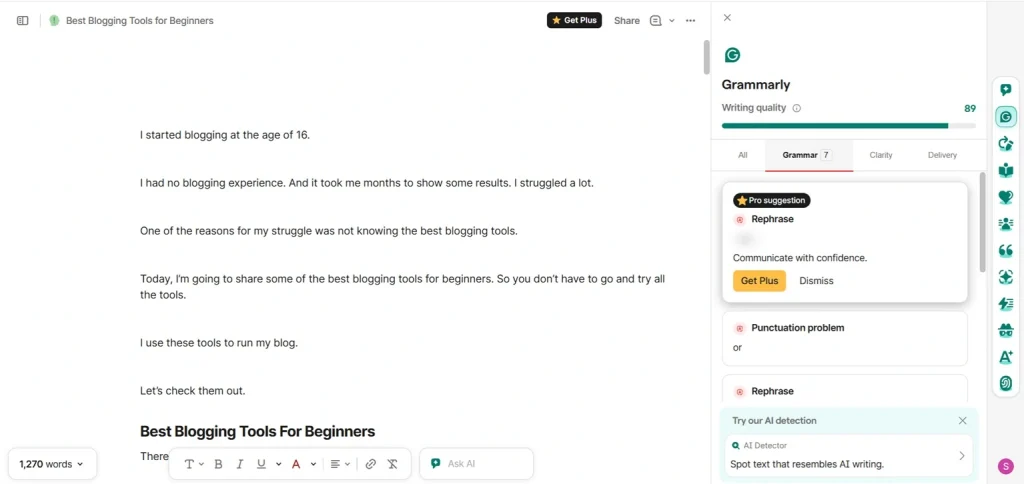
My grammar was never that good. English is not my first language. When I started writing blog posts, it was kind of a lifesaver for me.
Grammarly not only checks your grammatical mistakes, but it also fixes them as well.
Sometimes it gives weird suggestions. So you need to double-check it.
You can integrate it with Google Docs or install the Chrome extension.
I prefer the Chrome extension. Because it works almost everywhere you can type text.
14. CloudConvert
CloudConvert is an online image compressor and converter tool. You can compress and convert any images in seconds.
If you blog, you need images. People read blogs to understand something better.
And images make them easier to digest.
But using high-quality images makes it harder to load your website. You need to compress the images.
CloudConvert can compress images in seconds. I use it to compress images and convert JPEG and PNG images to WebP.
15. Buzzsumo

Buzzsumo is a great tool for content discovery, content research, finding influencers, and journalists.
Enter a topic, and it will show you how popular it is across social media.
Conclusion
These are some blogging tools I use to run my blog.
Using tools can improve your productivity and help you achieve results faster.
Do you use any of these tools? Leave a comment below.