Internal links are the unsung heroes of an effective SEO strategy.
People spend hours or sometimes days creating content.
Then they spend weeks building backlinks to the page.
And there’s nothing wrong with that. Because if you want to rank higher on Google, you need to create amazing content and high-quality backlinks to your website.
But they don’t give much attention to internal links.
Having a strategic internal linking strategy can boost your organic rankings. And it will not be much effort to add internal links to your pages.
Today, I’m going to share:
- How internal links can boost your traffic
- Why are internal links important for SEO
- Internal linking best practices
Let’s dive right in.
What Are Internal Links?
Internal links are links on a webpage to another page on the same domain.
If you are reading a post on yourwebsite.com/blog-post-example and click a link that takes you to the contact page at yourwebsite.com/contact, that is an internal link.
Why Are Internal Links Important For SEO?
Internal links can help search engines like Google crawl and index your web pages. And it helps people to find relevant content on your website.
Internal links can pass link juice from high authority pages to low authority pages. Google uses its PageRank algorithm.
In 2022, Google’s Search Advocate John Muller said, “Internal linking is super critical for SEO. I think it’s one of the biggest things that you can do on a website to kind of guide Google and guide visitors to the pages that you think are important.”
Let’s say you have a page with higher authority. It means this page has a decent number of backlinks.
When you add a low authority page link on this high authority page, it will pass the link authority to the low authority page.
And the page will rank higher on Google.
When you have a strategic internal linking strategy, you’ll see an increase in your overall organic traffic.
The best part?
Internal links are in your control, unlike backlinks.
You can choose the anchor text whatever you want.
Internal Links Vs External Links
What’s the difference between internal links and external links?
Well.
Internal links are links on the same website.
You can see I’ve added a link to my other page.

External links are links from one domain to a different domain name.
You should use both.
When you think a topic is huge and can’t be covered, you can add a link to a different website that already covered the same topic well.
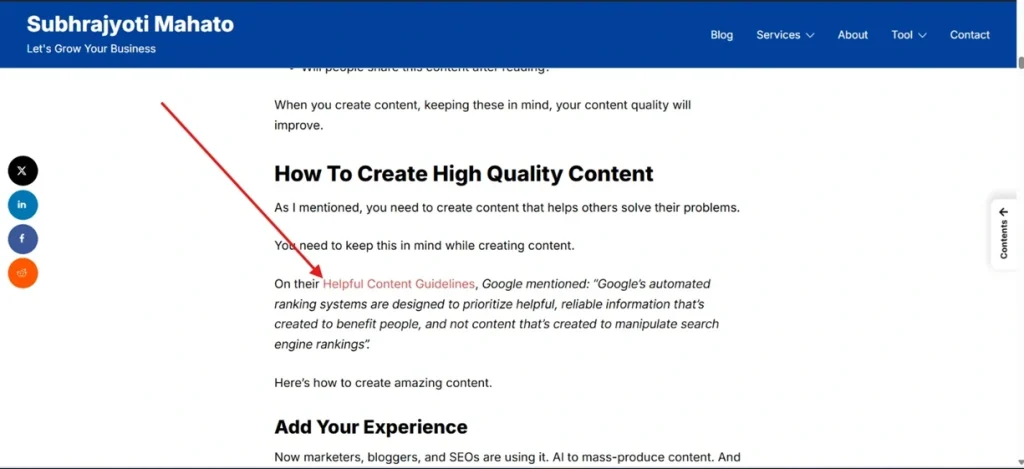
I published a post on top Google ranking factors. In the post, I mentioned create helpful content. But if I’d cover helpful content topic on the post, it would be a 5,000 word post.
Instead, I linked out to a Google’s guide (External link).
Type of Internal Links
There are 4 types of internal links.
Contextual
These links are placed within the content.
And add relevant anchor text.
Contextual links help Google understand the relevancy.
Navigational
Navigational links help users find what they are looking for on a website.
Examples: Category, Features, Products, Blog, and so on.
Here you can see what it looks like.
Footer
Footer links appear at the bottom of websites.
Examples: Privacy, About Us, Terms and Service,, Team, Social Media links, and so on.
Sidebar Links
As the name says, a website puts some links in the sidebar.
Many websites place their important pages on the sidebar.
Plan Your Internal Linking Strategy
It’s time to plan your internal linking strategy for SEO.
You can’t just link to random web pages within your website.
You need to link your relevant pages. And make sure they add value to the users.
If you have a post on: SEO – The Ultimate Guide.
You should link to other content like SEO Tools, SEO Strategy, Link Building, On-page SEO, and Off-Page SEO.
This is how you should build your internal linking structure.
Internal Linking Best Practices
Here are best practices for internal linking.
Make Your Links Dofollow
If you want to pass the link authority to your pages, you need to make sure that your internal links are dofollow.
I’ll explain:
When you link from Page A to Page B, you pass a portion of Page A’s authority to Page B. This helps Page B rank higher in search results.
If you add a nofollow tag to an internal link, you are essentially telling Google not to pass any authority through this link.
You need to keep this in mind while adding internal links.
Write Relevant Anchor Texts
Anchor text is the clickable text that is used to go from one web page to another.
In 2024, Google Search Central released a video saying: Links help users and bots to understand your content structure, so use them reasonably. Users and bots alike prefer meaningful anchor text.
Google recommends writing descriptive, concise, and relevant anchor texts.

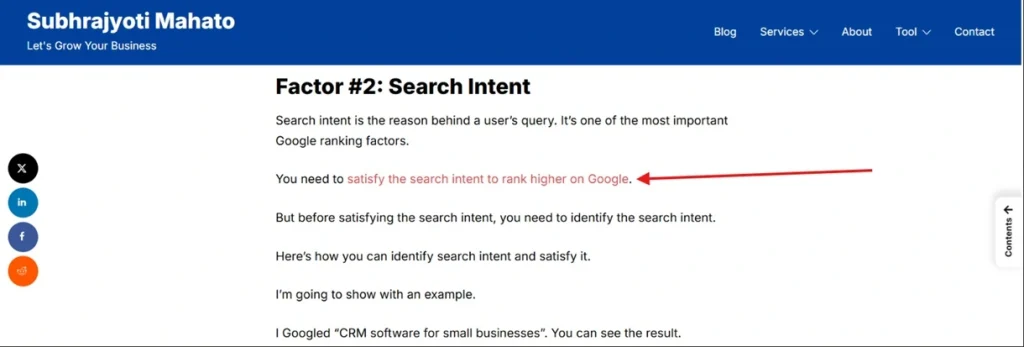
Write descriptive anchor texts.
I use a descriptive anchor text like this:
Link to Important Pages
Important pages can varies.
I’ll explain:
If you’re selling services like me, your important pages would be service pages.
If you’ve an ecommerce page, your important pages would be category pages and product pages.
If you’ve a SaaS product, your important pages would be comparison and alternative pages.
These pages are important pages. Because these pages will bring customers to your business.
And if you want more customers, you need to rank these pages higher on Google.
The problem with this is that nobody really wants to link out to your important pages. Because these pages are important for your business, not theirs.
Your website might have some pages with backlinks. These pages have higher page authority.
So you add your low authority pages to these high authority pages.
Add Links To Old Posts
Many people include links in their new posts. But what they add are new links to the old pages.
Adding new links can help your posts index faster.
When you publish a new post, make sure you go to your old posts and add a link.
And when you update any old blog posts, make sure you add new links as well.
Conclusion
Internal links are super important for SEO. But most people don’t put much effort into internal links.
If you’re adding internal links to your pages, I strongly recommend you take some time to interlink your relevant pages.
Go and audit your website to check for internal linking opportunities.
If you’ve any questions, feel free to ask.